
Hello Friends
Hope this post finds you in great health and spirit.
Today we will take a deep dive on how SCCM client find its nearest Distribution Point (DP). I know that name of product is changed but in real life, people are still calling it SCCM. So for the sake of simplicity, please bear with it. I tried to find if anything is already available online which covers the process before writing this post. But as I couldn’t find any, thought to document this post. So lets get started.
Application deployment can be divided in two parts:
- Creation and distribution of application at server side – I have already covered it in detail in my earlier post. You may check it here: https://vinitpandey.com/2017/02/28/troubleshooting-application-deployment-in-sccm-2012-part-i/
- Installation of application on client machine – This covers how client locate the content and then installs it. I have covered installation part here: https://vinitpandey.com/2017/03/03/troubleshooting-application-deployment-in-sccm-2012-part-ii/. But to deploy content, client need to first locate its nearest DP which we will cover in this post.
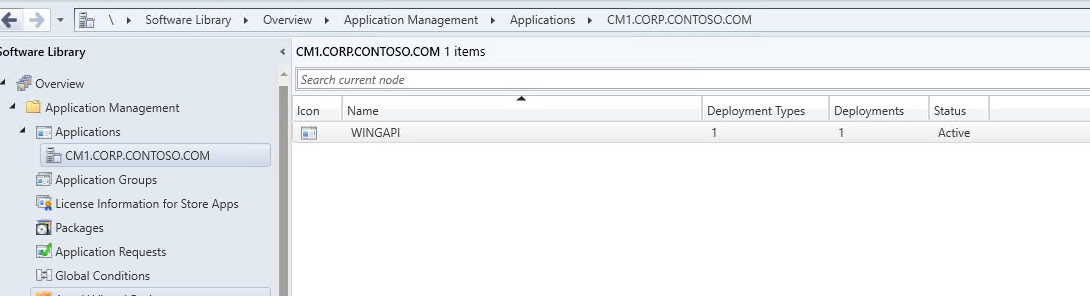
I have deployed an application through SCCM and we will see how client will search and locate DP to get the application.
- Client request the content from MP. The request has information as like AD site name, domain name, IP address, Subnet mask etc. which helps MP to validate the location of client and find nearest DP. You can check the activity in content access log which is CAS.log.

- MP receives client request and you can check the activity at server side in MP_Location.log. It contains all the information provided by client.

- MP uses stored procedures and run them on CM database to understand if there are any Boundary Group(BG) configured against the parameters provided by client. It also checks if there is any DP referenced in those BG which has content. You can see the procedure GetContentDPInfo has run to find details.
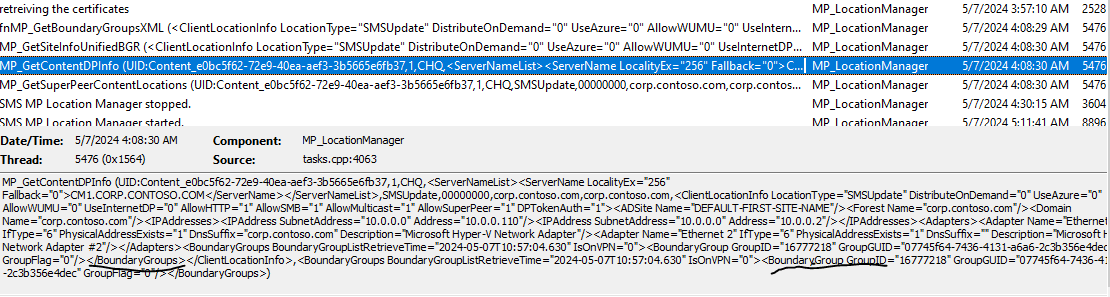
If MP does not find any BG for client then it checks if there is any fallback BG configured and it has DP with content. You can check these stored procedures by connecting to your site database. Path is as under:

There are multiple procedures for MP and GetContentDPInfo is used to get DP as highlighted below:

Hence, if your client machine do not find right DP or DP at all, you can start with CAS.log and then check MP_Location.log to see if MP received the request. Once DP is located, rest of the activities is already covered in my other post. I have provided link earlier in this post.
So that was all in this post. I will see you soon with some other exciting stuff. Till then, bye-bye.

 AN IT DIARY of AI, Windows, MEM & PowerShell